Trash Management Guide
1. Trash Can Management
Restore and permanently delete files in the recycle bin.
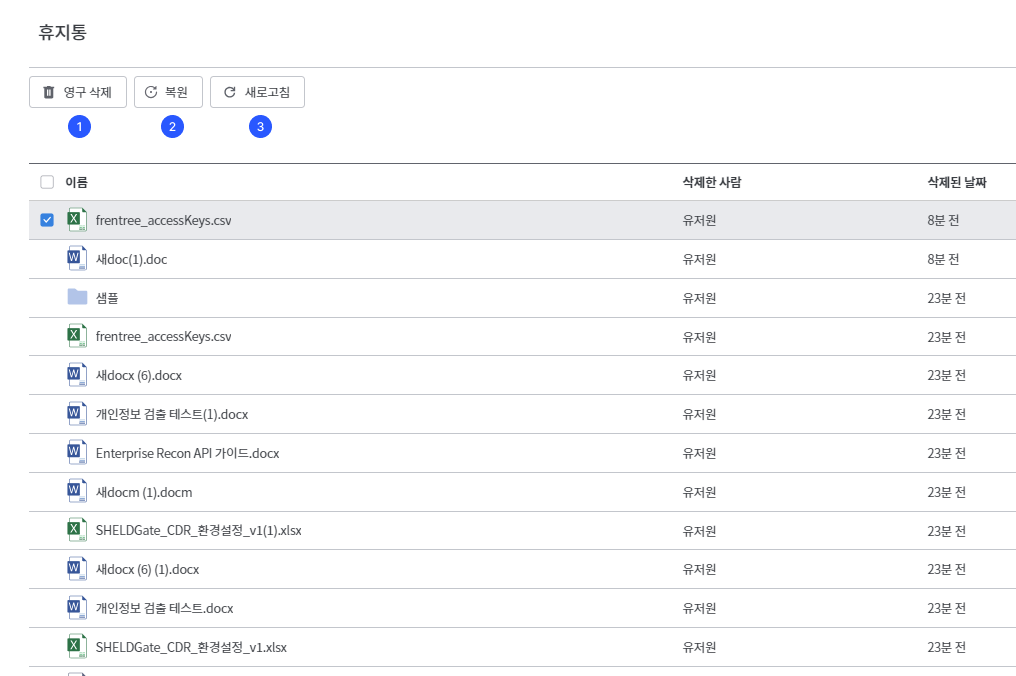
- Clicking the [Permanent Delete] icon will bring up a modal window. Pressing the [Permanent Delete] button once more will permanently delete it.
- Clicking the [Restore] icon will immediately restore the file to its original location.
- You can update the list through the refresh button in the upper right corner.
Files in the recycle bin are kept for 30 days and will be automatically permanently deleted thereafter.
2. Trash Can Search
You can search for the desired deleted files using keywords.
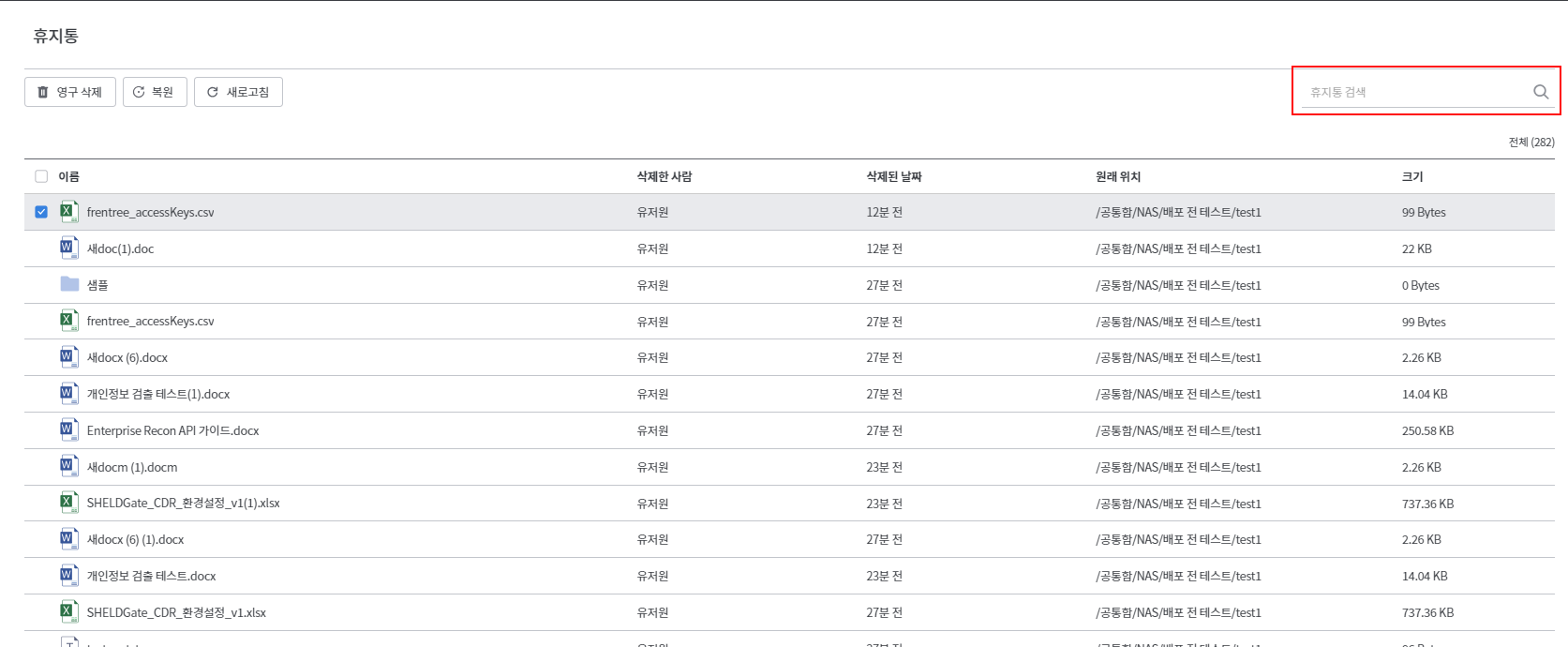
- Enter the keyword in the search box at the top right.
- The search results are reflected in real-time and displayed in the list.